Every feature on this page can be checked in the source code. Screenshots show the fictional demo company.
01
Getting started
Setup wizard
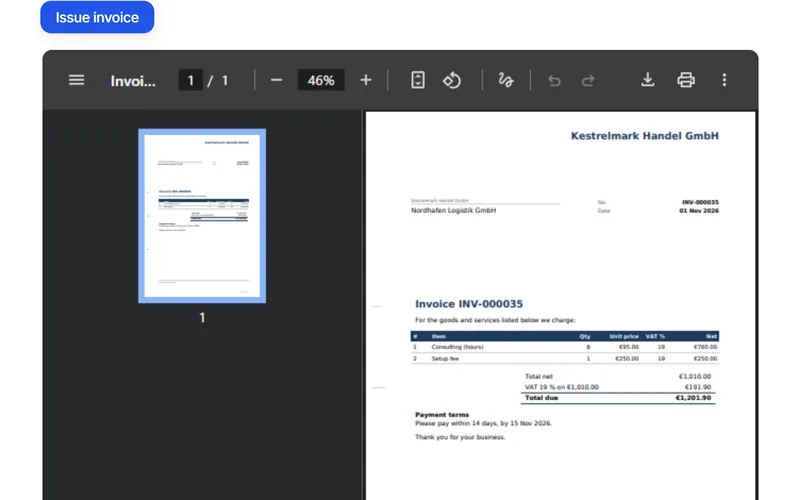
The wizard at /setup sets up a new company in one pass. It asks for company details, VAT number and small-business status, the bank account (printed on invoices as an EPC QR code), logo and defaults, outgoing mail, and ends with your first invoice and its PDF preview. Every step can be skipped and resumed later; the dashboard lists the steps still open.
Company · tax · bank · logo · mail · first invoice
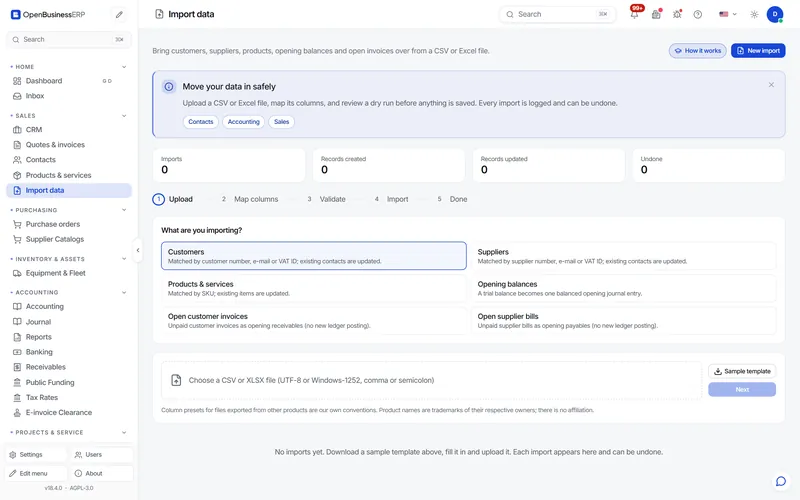
Move in from spreadsheets or another system. The wizard imports customers, suppliers, products, opening balances and open invoices and bills from CSV or XLSX. It maps the columns, validates the rows, runs a dry run first, and lets you undo an import.
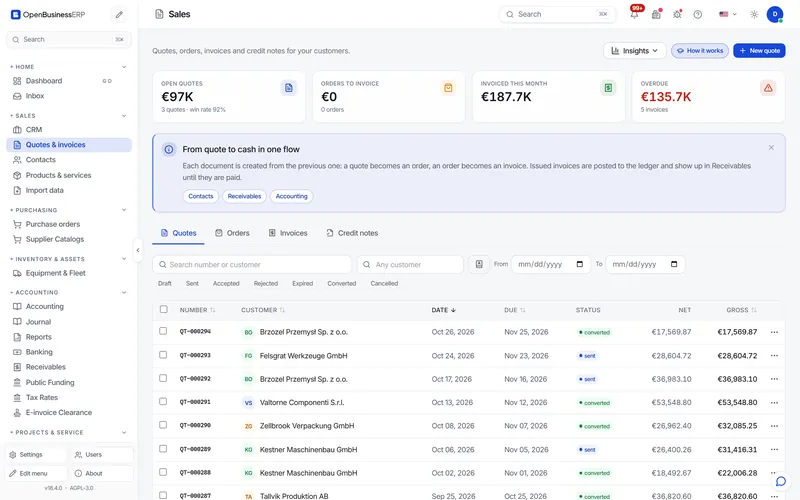
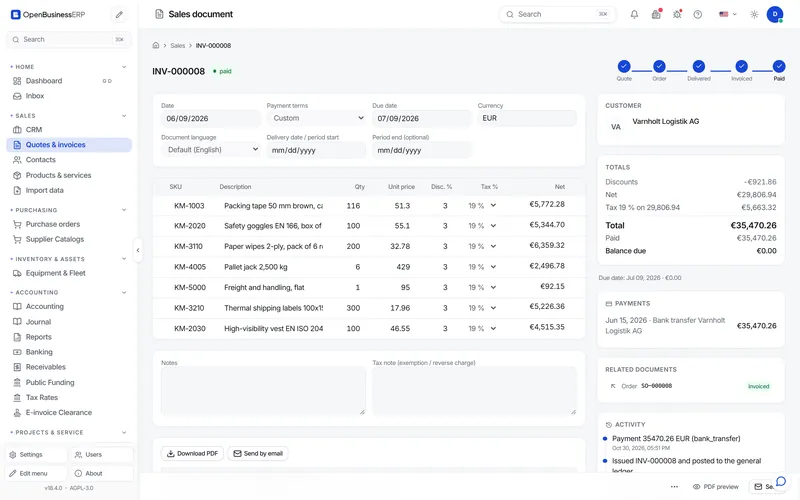
One list covers quotes, orders, invoices and credit notes, with status filters, overdue tracking and totals. Each document shows its step in the Quote → Order → Delivered → Invoiced → Paid chain. Documents go out as PDF by email, and can be issued in the customer’s language rather than the user’s. For businesses in Switzerland or Liechtenstein with a Swiss or Liechtenstein IBAN, the invoice PDF ends with the A6 QR-bill payment slip.
Posted to the general ledger automatically · per-document currency · Swiss QR-bill slip for CH/LI businesses
An issued invoice can be exported from its own page; the Leitweg-ID for public-sector customers is entered on the invoice. The exporter writes EN 16931 invoices in CII syntax (XRechnung 3.0, ZUGFeRD 2.1, Factur-X 1.0) and UBL syntax (Peppol BIS Billing 3.0). ZUGFeRD / Factur-X can be built as a hybrid PDF with the XML embedded. Before download, the invoice is checked against a subset of the EN 16931 and XRechnung rules (BR, BR-CO, BR-DE and the Peppol rule R003); a fatal finding blocks the file. The file is yours to send: the program has no Peppol access point. Invoices from Quotes & invoices are sent as PDF today, and incoming e-invoices are not imported.
A rule subset, not the KoSIT validator, and not certified. ZUGFeRD PDFs are not strict PDF/A-3b. The receiver’s validator decides.
Pick one of three layouts for quotes and invoices (classic, modern or compact), then set the accent colour, the font and which letterhead blocks appear.
Templates: classic · modern · compact
Recurring invoices
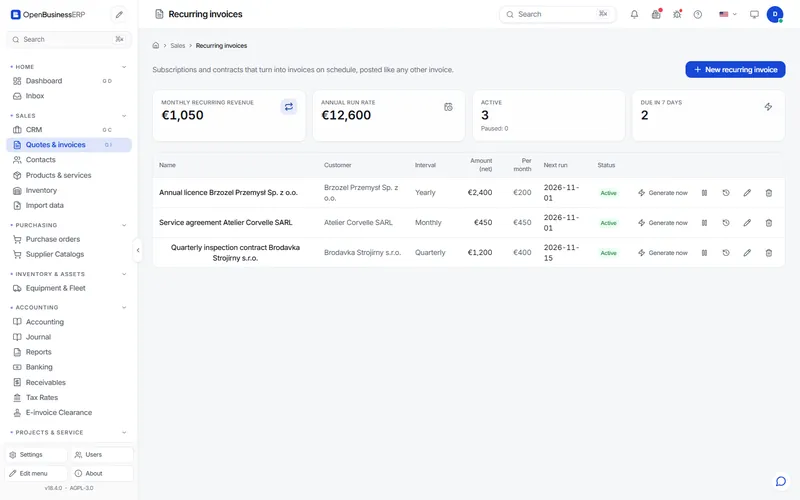
Subscription and contract templates generate sales invoices on a schedule: weekly, monthly, quarterly or yearly, with an interval count (for example every 2 months).
Generated invoices are ordinary sales invoices
CRM
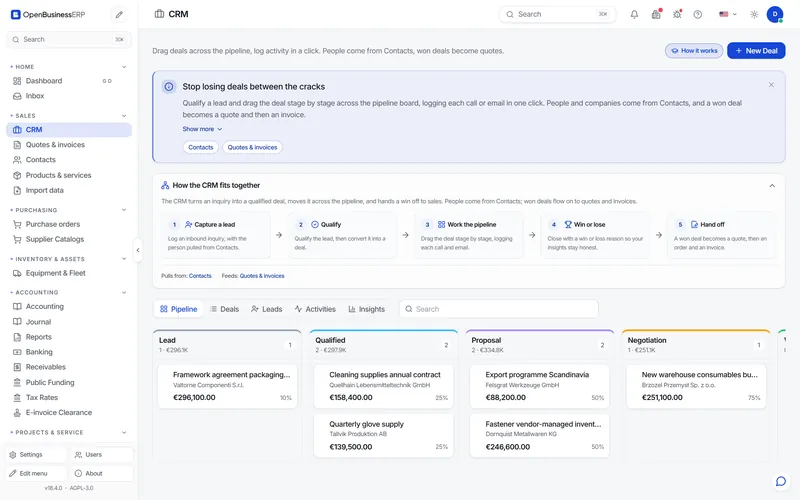
A pipeline board takes deals from lead to won and links them to contacts and companies. Activities, forecasting and win/loss analysis sit next to the board. A won deal becomes a quote in one click.
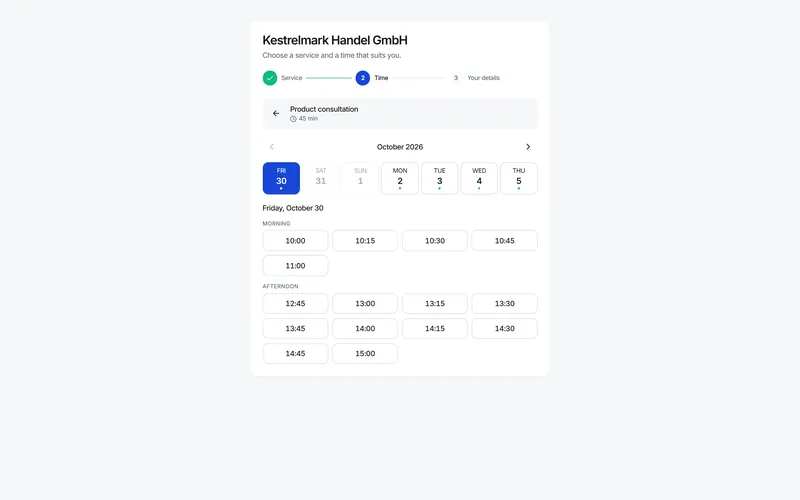
Plan services, staff and rooms with working hours on a calendar, with reminders. Publish a public booking page at /book/<slug> that customers open directly or that you embed on your website. A completed booking can be invoiced in one click.
Services · staff and room resources · reminders
03
Purchasing and stock
Purchasing
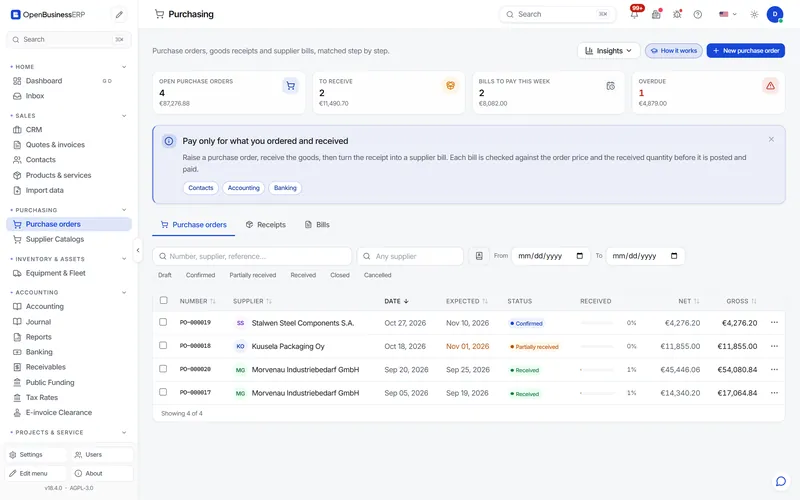
Purchase orders, goods receipts and supplier bills are matched step by step (three-way match), so you pay only for what was ordered and received. Supplier catalogues keep supplier prices next to your own items.
Purchase order → goods receipt → supplier bill → payment
Products and inventory
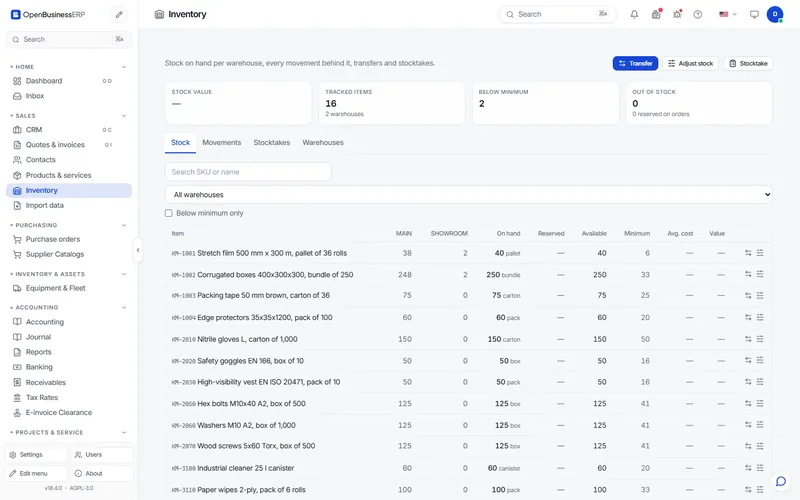
One catalogue holds everything you sell or buy: SKU, unit, sales price, cost, margin, tax rate and stock on hand, with minimum-stock alerts and CSV export. Inventory adds warehouses, a stock movement ledger, transfers and stocktakes, valued at moving average cost.
Moving-average valuation · transfers · stocktakes
04
Banking and accounting
Banking and reconciliation
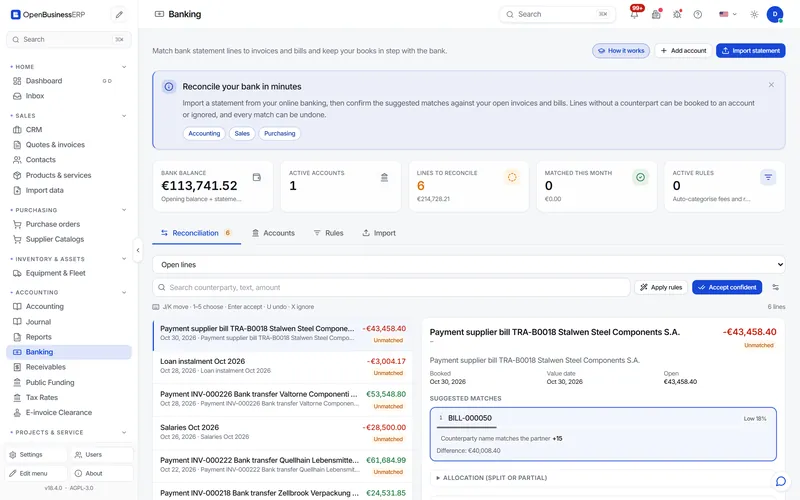
Import bank statements and reconcile them in a two-pane workspace: open statement lines on the left, suggested invoices and bills on the right. Rules categorise recurring lines such as fees or salaries.
Formats: ISO 20022 camt.053 / camt.054, SWIFT MT940, CSV
Receivables and dunning
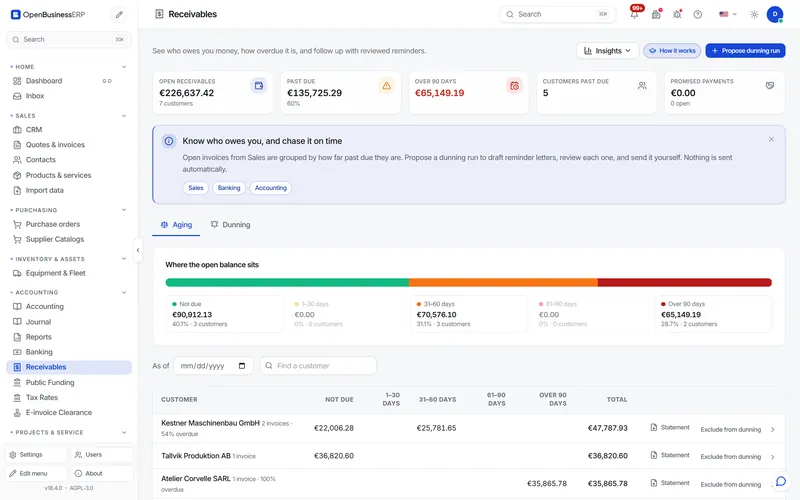
Aging buckets show who owes you and how overdue each balance is. A dunning run proposes a reminder level per customer; levels have their own days after due, fee and text. You can exclude individual customers. Letters are drafts: nothing is sent until you send an approved draft.
Interest and fees are switched off by default
Multiple currencies and FX revaluation
Sales and purchase documents carry their own currency and rate. Payments store the rate on the payment date, and the difference posts to an FX account. At period end the revaluation restates open receivables and payables: preview first, then post. The entry reverses automatically the next day.
Default currency EUR · rate per document and per payment
Accounting and VAT
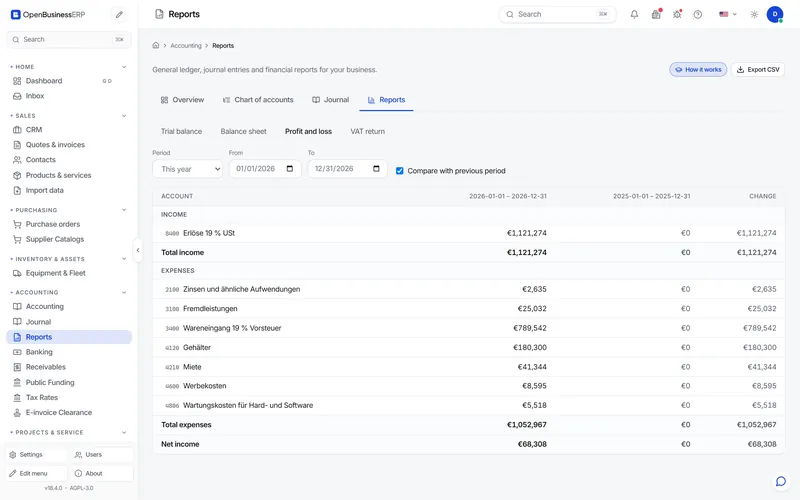
Sales and purchase documents post to the ledger automatically. Review the journal, add manual entries, maintain the chart of accounts and close periods. On SKR03 and SKR04, sales and purchase VAT is posted per rate (19 % and 7 %) to the matching accounts. Reports: trial balance, balance sheet, profit & loss with previous-period comparison, and VAT return. All of them export to CSV.
Charts of accounts: German SKR03 and SKR04, Austrian EKR, Swiss KMU and a generic IFRS-style chart
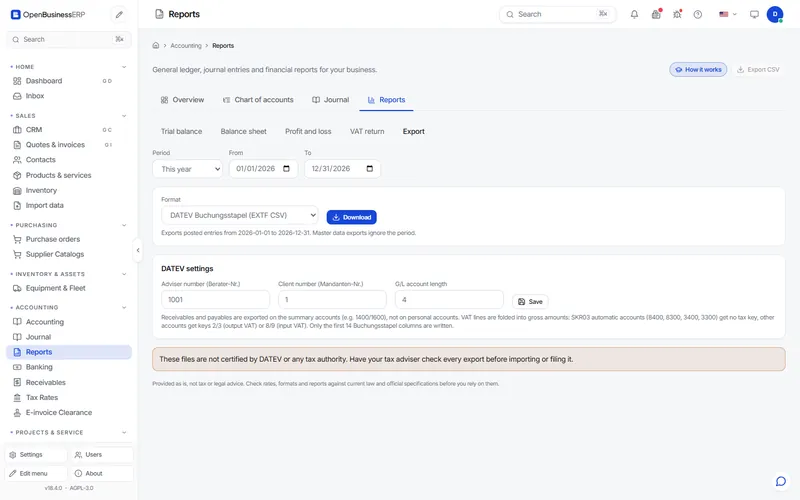
The accountant export writes DATEV EXTF files (Buchungsstapel with all 125 columns, category 21, format version 13; debtor and creditor master data) in Windows-1252 with CRLF, as DATEV expects, and SAF-T 2.0 XML. Receivables and payables are booked on Debitor/Kreditor personal accounts with number ranges you can change. The tax-key mapping covers SKR03 and SKR04 and is set in the export settings, together with adviser number, client number and account length. Columns without a data source stay empty.
Not certified by DATEV or any tax authority. Have your accountant import a test file first.
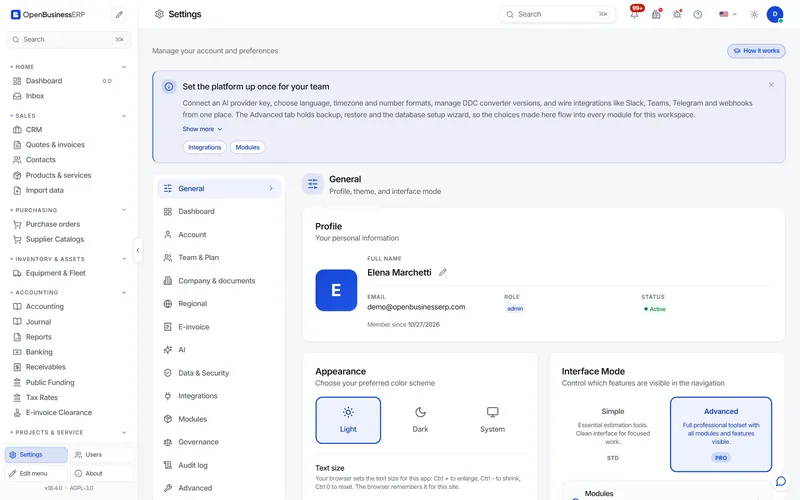
The interface ships in 44 languages, including right-to-left Arabic, Hebrew, Persian and Urdu and regional variants such as en-GB, pt-BR and es-MX. Quotes and invoices can be issued in a language other than the one the user works in.
Simple mode shows the essentials; Advanced shows every module
Role presets and audit log
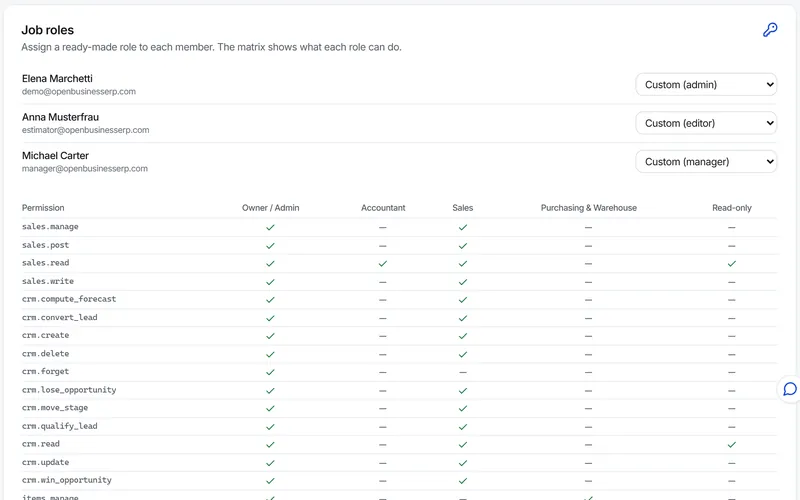
Give each person a preset instead of ticking permissions one by one: owner, accountant, sales, purchasing or read-only. Every insert, change and deletion in the business modules is written to an audit log with who, when, and the values before and after.
Logged at the database layer, so a new feature cannot skip it
Optional AI chat
Ask about your own data in plain language, for example “which invoices are overdue?”. You bring your own API key (Anthropic, OpenAI, Gemini, Mistral, Groq and others, or an OpenAI-compatible endpoint you host). Without a key, all other features work.
Off unless you configure a provider
REST API and modules
Every screen uses the same REST API under /api/v1/. Outside production mode the backend serves the OpenAPI schema with interactive docs. Each business area is a Python package with a manifest; modules can be switched on or off per installation.
Read these before you rely on the software for your books.
Nothing is certified. The DATEV files are not certified by DATEV. E-invoices are checked against a subset of the EN 16931 rules, which confirms structure, not acceptance by a receiver or authority. The software is not certified as GoBD-compliant; GoBD compliance also depends on your procedure documentation (Verfahrensdokumentation), retention and operation.
Test the DATEV export with your tax adviser before the first real import. Adviser and client number, account length and chart of accounts must match their setup. Columns without a data source stay empty.
ZUGFeRD PDFs are not strict PDF/A-3b. The embedded XML is complete; a receiver that demands PDF/A-3b needs a post-processing step.
E-invoices are files you send yourself: no Peppol access point, and no import of incoming XRechnung or ZUGFeRD files.
No payroll, no tax filing: no Lohnabrechnung, no ELSTER submission of the VAT return and no annual financial statement (Jahresabschluss) workflow. Your accountant files.
Bank connection is file-based. Statements are imported as files; there is no live FinTS, EBICS or PSD2 connection.
There is no GitHub release yet. Docker from source or the image tagged edge is the supported path. The desktop installers are not code signed, and the PyPI package is not published.
Next step
Try it yourself
The demo runs on invented data. Your own installation is one Docker command.